There are many different ways to compare Platform Blueprint or Platform Model configuration. Use any of the options below.
Using Source Code
Note: This functionality is available for MyST 6.0.0+
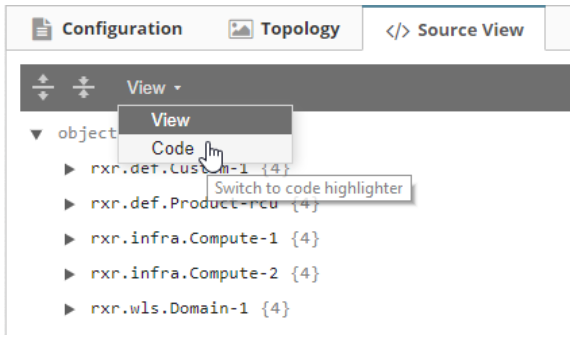
- Navigate to Platform Model -> Actions -> Configuration and change the tab to Source View.
- Select the View drop-down and change it to Code.
- Navigate to Actions -> View Commit History and get the JSON payload for the pm versions you want to compare.

TIP: Use a compare tool to help here.
Using MyST properties Action
MyST 'properties' action gives you a complete report of all the properties, parameters and configurations of a Platform Model.
- In the model, navigate to Actions > Control
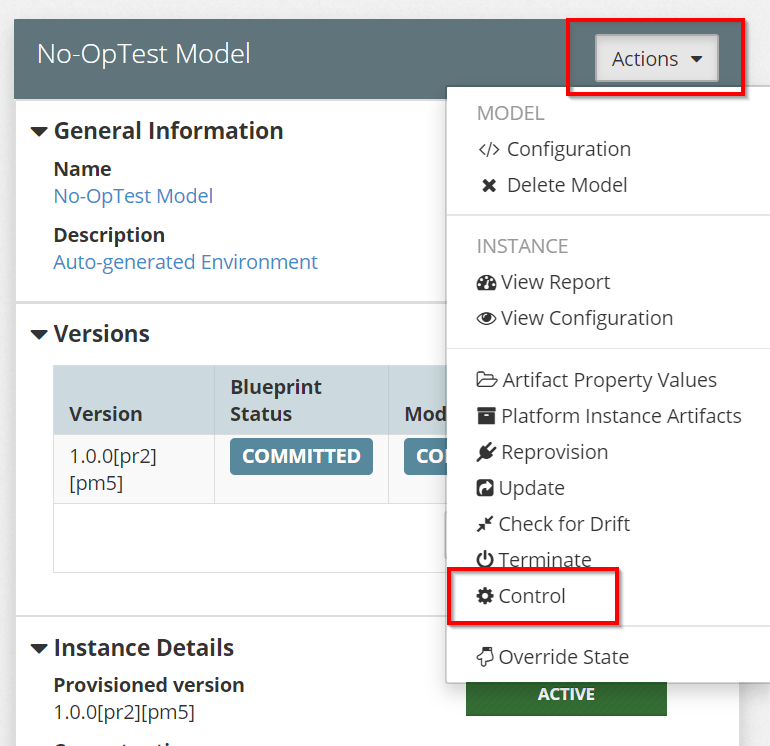
- Select the action as 'Custom', and enter 'properties' as the custom name, and execute the action.
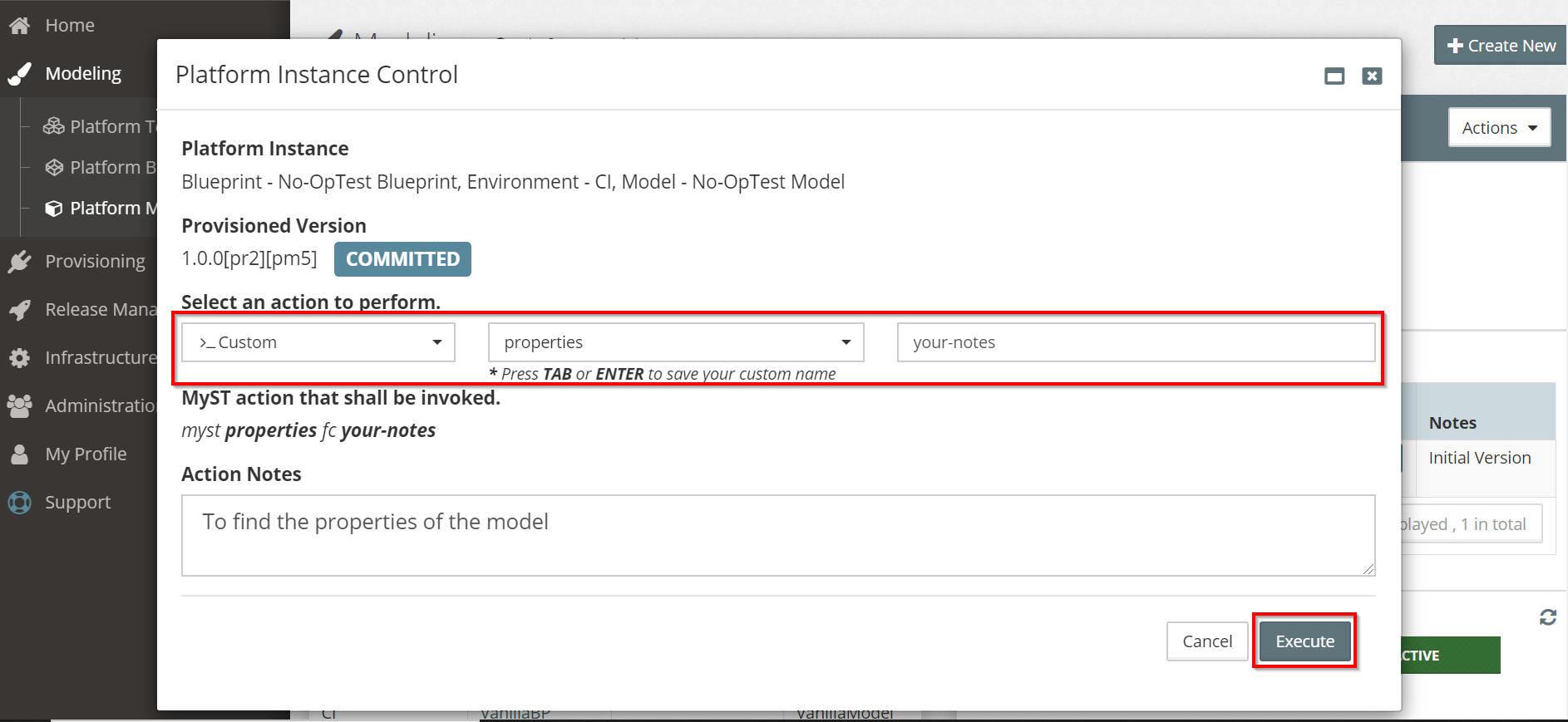
- The output will display a
key=pairformatted properties which can be used as a comparison
Using the Report View
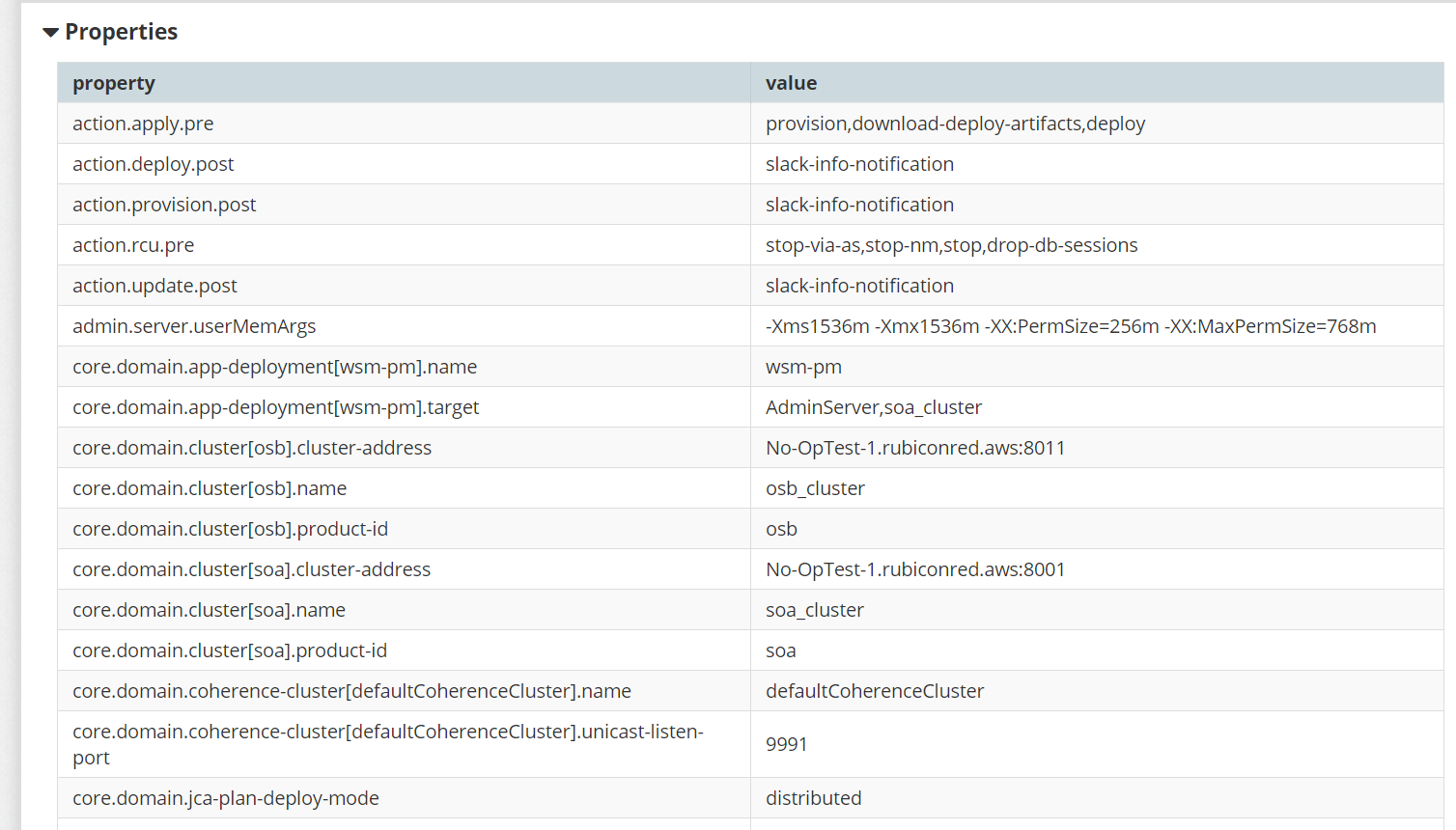
- Navigate to Actions > View Report to view the generated report of the model.
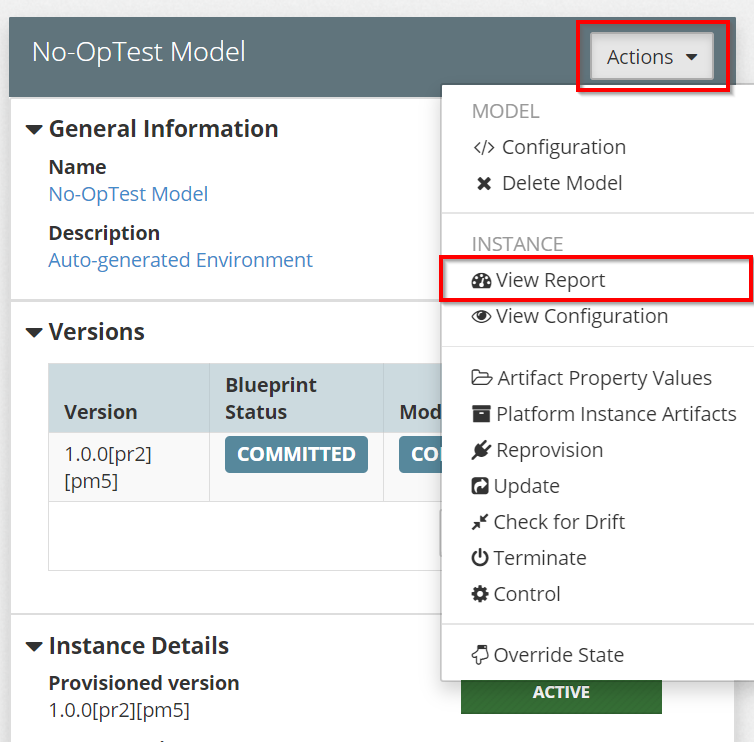
- You can also compare the below properties from the View Report
Using Payload from the REST API
Similar to the source code view, the REST APIs can also be used to compare the Blueprints in MyST.
NOTE: This example uses the Chrome web browser
- Login to MyST Studio and press F12.
- Navigate to Network and enable the Preserve log by checking the box.
- Navigate to your desired Blueprint and browse to its configuration. You'll now see that a log with a name 'data' is being generated. Click on it to view the source code.
- After you click on the data log, navigate to Response tab to view the source code of the Blueprint.
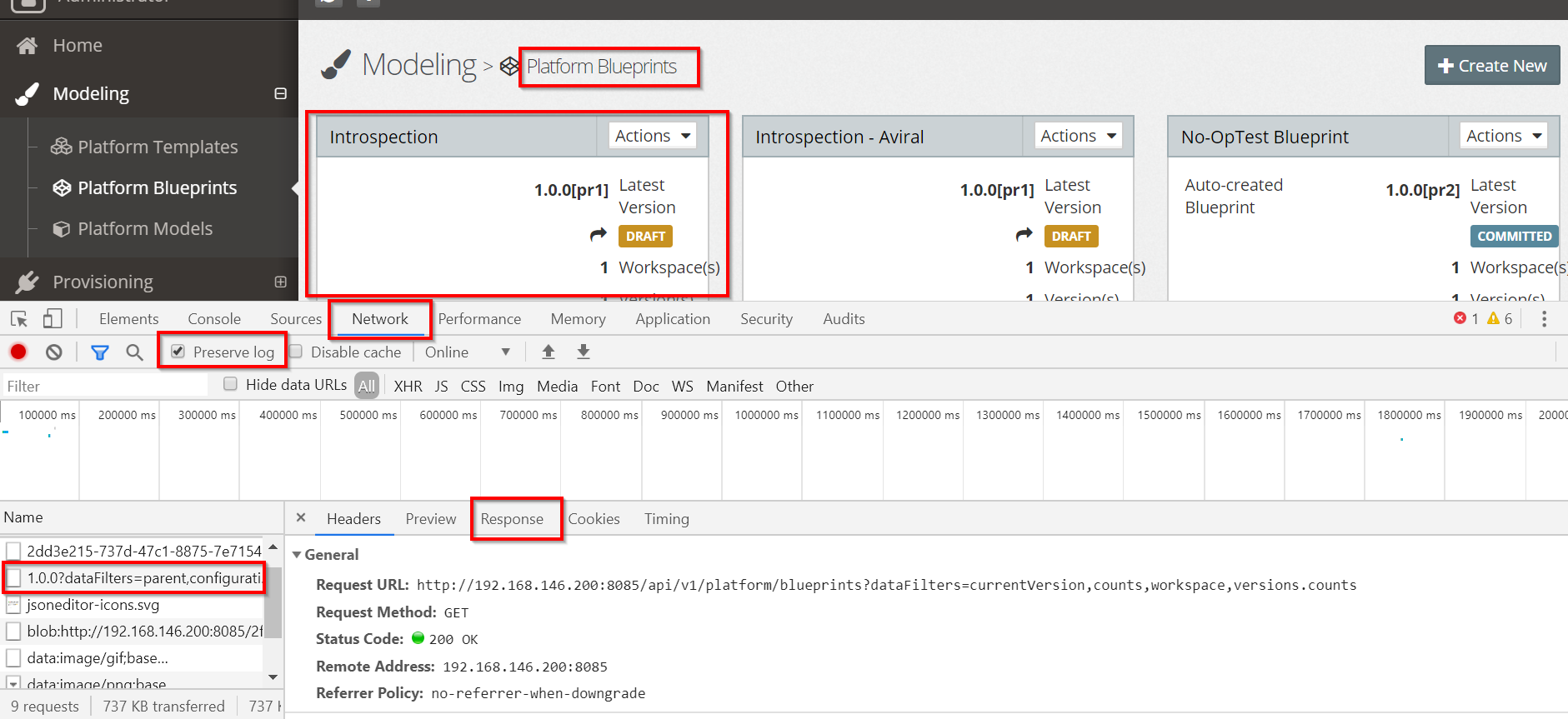
- Click on Response tab
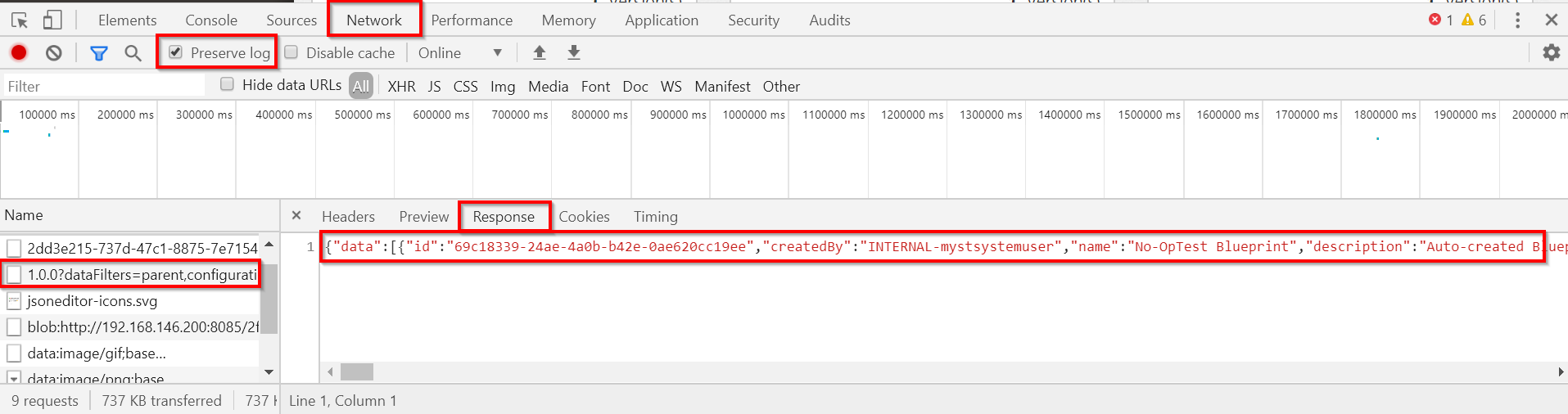
- Retrieve the code and use compare tools to compare your Blueprints.
Using Command Line
Another way of comparing the Blueprints is by retrieving the Platform Blueprint source code from the CLI.
MyST Studio is built on top of a set of REST APIs meaning any operations performed by the UI can also be automated using the REST APIs. You need to retrieve your API Key, set your environments, to get the Blueprint list and their IDs.
In this example, we are showing how to update a Platform Blueprint using the REST API. At a minimum you will require curl to be installed on your machine. To make JSON manipulation easier, it is also recommended to install jq which is downloadable from here.
Retrieving your API key:
In order to interact with API, you will first need to retrieve and/or regenerate an API key from MyST Studio. This can be performed as follows:
- Login to MyST Studio with an administrator account
- Click on Administration then select Users
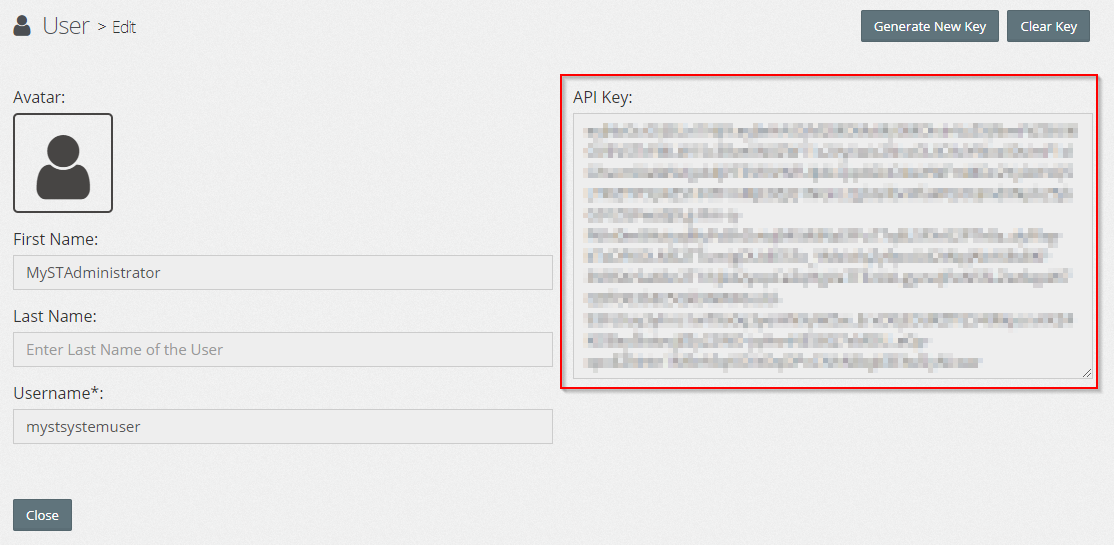
- Under the MyST Administrator (API User) click on drop-down and select Show API Key
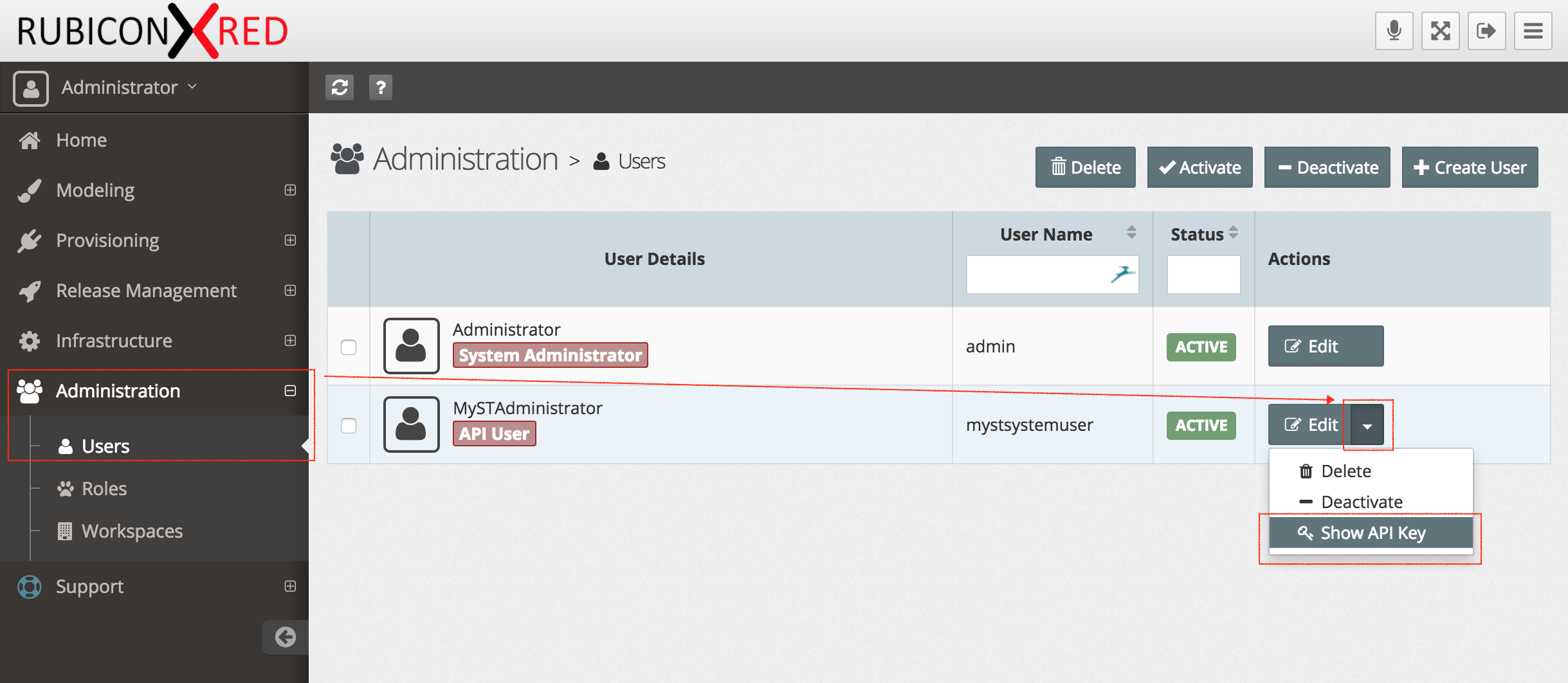
- Copy the key, we will use this later in our MyST workspace. If you want, you can generate a new key at any time.
Setting up your environment
The below curl examples will assume the following are set as environment variables
MYST_TOKEN=<your api key>
MYST_HOST=<your MyST host>
BLUEPRINT_ID=<your blueprint id>
BLUEPRINT_VERSION=<your blueprint version>
NOTE: The BLUEPRINT_ID and BLUEPRINT_VERSION can easily be found in your browser URL when selecting the Platform Blueprint.
Getting a list of available Blueprints
curl -k -X GET -H "Authorization: Bearer $MYST_TOKEN" "https://$MYST_HOST/api/v1/platform/blueprints"
To pretty print the JSON result, you should consider piping that to jq as follows:
curl -k -X GET -H "Authorization: Bearer $MYST_TOKEN" "https://$MYST_HOST/api/v1/platform/blueprints" | jq
Getting the ID of a specific Platform Blueprint
The id of a given Blueprint can be discovered within the listing of Platform Blueprints at .data.id. For instance, in the snippet below the id of SOA Blueprint is c2a9a9c6-4dd6-44b4-8b7a-54a14a235802.
{
  "data": [
    {
      "id": "c2a9a9c6-4dd6-44b4-8b7a-54a14a235802",
      "name": "SOA Blueprint",
      ...
If you want to programmatically find the id for SOA Blueprint you could execute the following with curl and jq
ID=$(curl -k -X GET -H "Authorization: Bearer $MYST_TOKEN" "https://$MYST_HOST/api/v1/platform/blueprints" | jq --arg NAME "SOA Blueprint" -r ".data[] | select(.name == \$NAME) | .id")
Now you can execute echo $ID and it will output the Blueprint ID. For example:
c2a9a9c6-4dd6-44b4-8b7a-54a14a235802
Download the source file for a given Platform Blueprint:
In the previous step, we should how to get the identifier for a platform blueprint and set that to an environment variable called ID.
Now, we are going to download that source to a file called blueprint.json for 1.0.0 of our platform blueprint.
curl -k -X GET -H "Authorization: Bearer $MYST_TOKEN" "https://$MYST_HOST/api/v1/platform/blueprints/$ID/versions/1.0.0?suppressComputed=true&dataFilters=*" > blueprint.json
Note: If you're blueprint is on a different version to 1.0.0, make sure you change that in your query.
If you wish to retrieve a specific revision of a platform blueprint version, you can add %5Bpr23%5D to the URL as shown below. This will retrieve revision 23 of the platform blueprint version 1.0.0.
Note: When accessing a specific revision of a platform blueprint version, the curl url needs to use http with the appropriate port instead of using https
curl -X GET -H "Authorization: Bearer $MYST_TOKEN" "http://$MYST_HOST:8085/api/v1/platform/blueprints/$ID/versions/1.0.0%5Bpr23%5D?suppressComputed=true&dataFilters=*" > blueprint.json
Download the source file for a given Platform Model
The steps to retrieve the platform model source are the same as those for the platform blueprint. Simply change the URL to use models instead of blueprints, and update the version and revision numbers to their appropriate value e.g. 1.0.0-1and %5Bpm23%5D
curl -X GET -H "Authorization: Bearer $MYST_TOKEN" "http://$MYST_HOST:8085/api/v1/platform/models/$ID/versions/1.0.0-1%5Bpm23%5D?suppressComputed=true&dataFilters=parent,configuration,revisionNumber" > model.json
Use compare tools to find the difference between different versions of the Platform Models and Platform Blueprints.